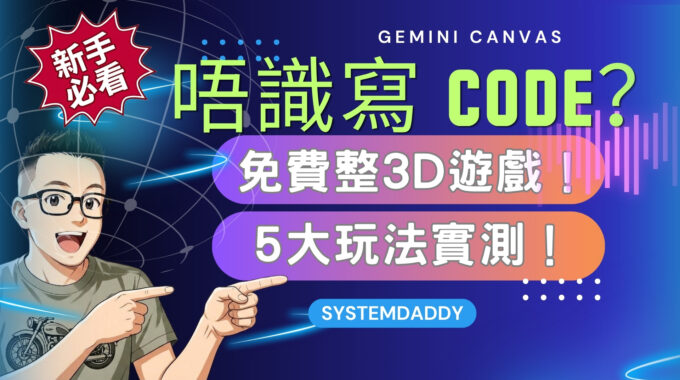
唔識寫程式,都可以自己整遊戲、網頁同學習工具?今次 SYSTEMDADDY 帶你實測 Gemini Canvas 5 大玩法,由 3D 波波競速遊戲、戰機模型,到餐廳網站同互動英語學習 App,睇吓點樣透過文字提示,將構思變成可以操作嘅作品。 呢篇 Gemini Canvas 教學會整理影片入面嘅示範,同埋介紹生成作品後,點樣繼續修改內容、試用功能及處理錯誤。 Gemini…
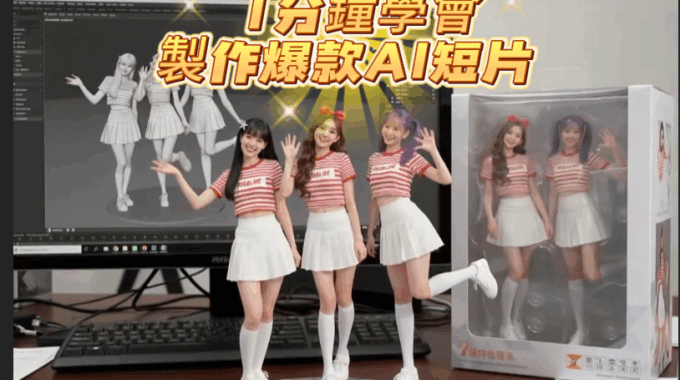
【AI生成影片】1分鐘學會 製作爆款AI短片|AI figure 教學|免費用AI整模型公仔|nano banana教學
1分鐘學會 製作爆款AI短片。
STEP1:進入LMARENA.ai 網站
STEP2:按下方圖片icon
STEP3:按頂部選”Direct”Chat 並選項”nano-banana”
STEP4:按’’+”相中片圖庫,選擇圖片
STEP5:直接輸入以下指令生成
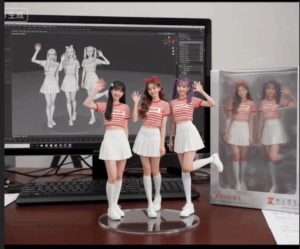
用上傳的這張照片,製作一款 1/7 比例的商業化角色模型圖片,風格為寫實風,並置於真實的環境中。模型擺放在電腦桌上,底座為圓形透明壓克力材質,且底座上沒有任何文字。電腦螢幕上顯示的是該模型的 Zbrush 建模過程,螢幕旁邊擺放著一個包裝盒,設計為圓角造型,正面有透明視窗,可以清楚看到裡面的模型。
有網友指出,英文版的指令成功率會更高。但我個人是貼上中文版就成功了,以下為英文版指令(直接複製貼上即可):
Create a 1/7 scale commercialized figurine of the characters in the picture, in a realistic style, in a real environment. The figurine is placed on a computer desk. The figurine has a round transparent acrylic base, with no text on the base. The content on the computer screen is the Zbrush modeling process of this figurine, next to the computer screen is a packaging box with rounded corner design and a transparent front window, the figure inside is clearly visible.
STEP6:打開”豆包”
STEP7:按”圖片動起來”
STEP8 :直接輸入動作指令生成短片
【AI生成影片】1分鐘學會 製作爆款AI短片
▶️YouTube🔥🔥🔥👇🏻👇🏻👇🏻
https://www.youtube.com/watch?v=UfEJWpp6C8k&t=177s
相關貼文